
Live roster preview
Review students before class and update attendee details from the event workspace.
Build your training roster automatically as students register, then use the same record for attendance, class-day updates, reporting, and exports.
Training organizations that need dependable class lists without copying names between forms, spreadsheets, and separate reporting tools.
Review students before class and update attendee details from the event workspace.
Record attendance by attendee and session so your roster reflects what actually happened.
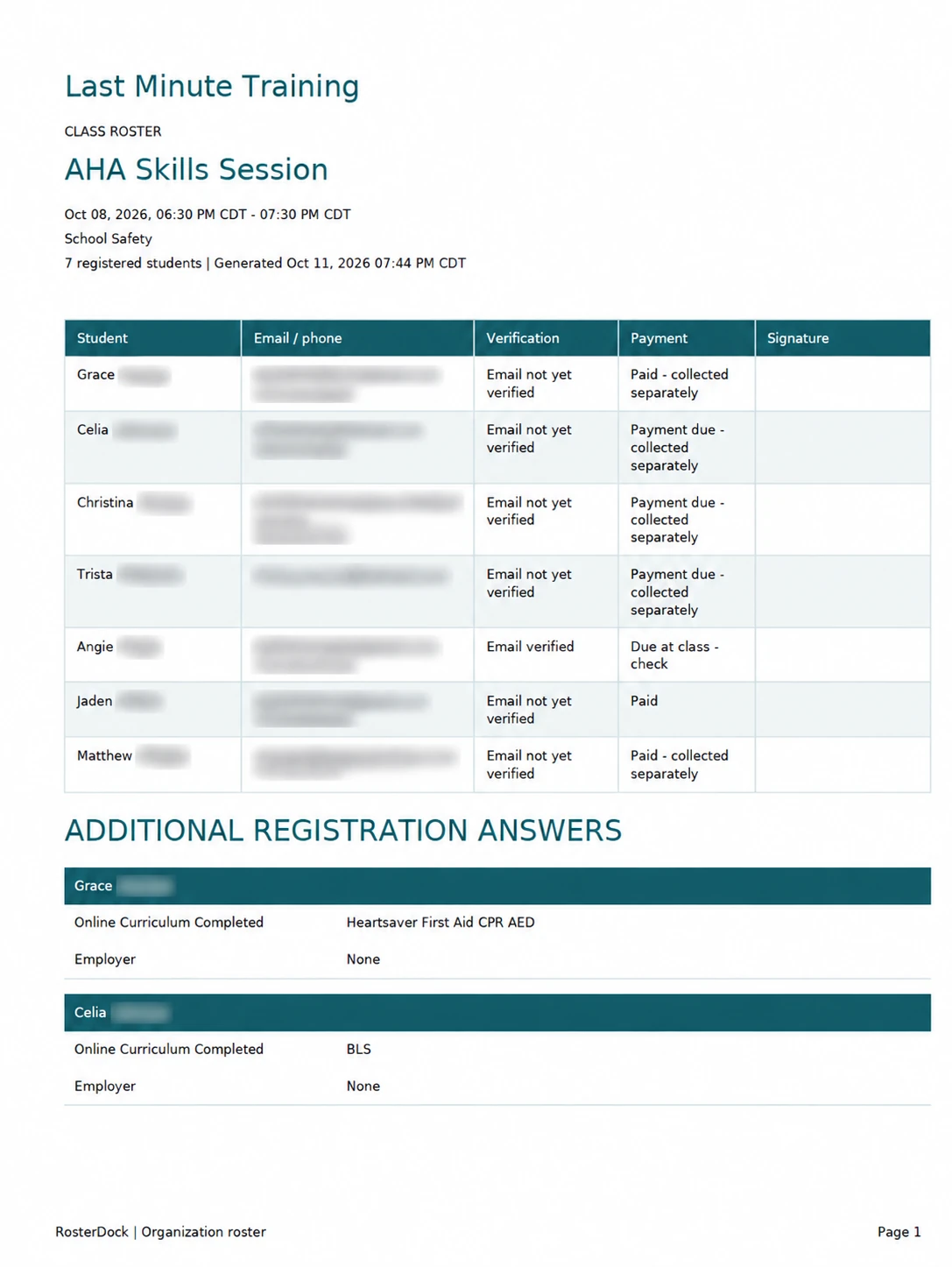
PDFs include all registered students; CSVs include students marked present. Both include answers to registration questions.
Use the student area to find prior registrations and keep organization records easier to follow.
Use the PDF as your class list, including students who have not yet attended. After class, use the CSV to export the students you marked present.
Email verification, payment status, and attendance are separate records. An unverified email does not by itself mean the student has no reservation.
Open a sample PDF roster · Download a sample CSV
The downloads use fictional students.
Built from managing our own classes. RosterDock grew out of managing CPR and safety training at Last Minute Training in Bismarck, North Dakota. We built it to keep registrations, payments, attendance, and rosters together, then opened it up for other instructors and training organizations.
Created by Steven Featherston, owner of Last Minute Training. Questions and feedback go to [email protected].
The PDF includes all current registered students. The CSV includes students marked present in at least one session of the event.
Yes. Answers to your registration questions are included in PDF and CSV exports.
Start free with no card required and no expiration. Online payments have a platform fee; Square processing fees apply separately.
Publish classes, accept registrations, and manage capacity.
Keep attendance, student records, and roster exports together.
Give students a simple registration experience without another account.
Organize recurring instructor-led safety and healthcare training.
Manage recurring education, instructors, attendance, and records.